You're reading a news article about a typhoon and you hit the phrase torrential rain. You've seen torrential before — something about "a lot"? — but you're not confident. You select the word. A popup appears.
What that popup shows you next will determine whether you actually learn the word or just forget it 10 seconds later.
And that's the real difference between the two main types of dictionary extensions for Chrome: traditional dictionary tools and contextual lookup tools. Let me break down what each does, where each falls short, and which approach actually helps you build vocabulary.
Traditional dictionary extensions: the familiar approach
You've probably used one of these — Google Dictionary, Cambridge Dictionary's extension, or similar. Select a word, get a dictionary popup with definitions and pronunciation. Simple. Here's what it looks like when you look up torrential on Cambridge Dictionary:
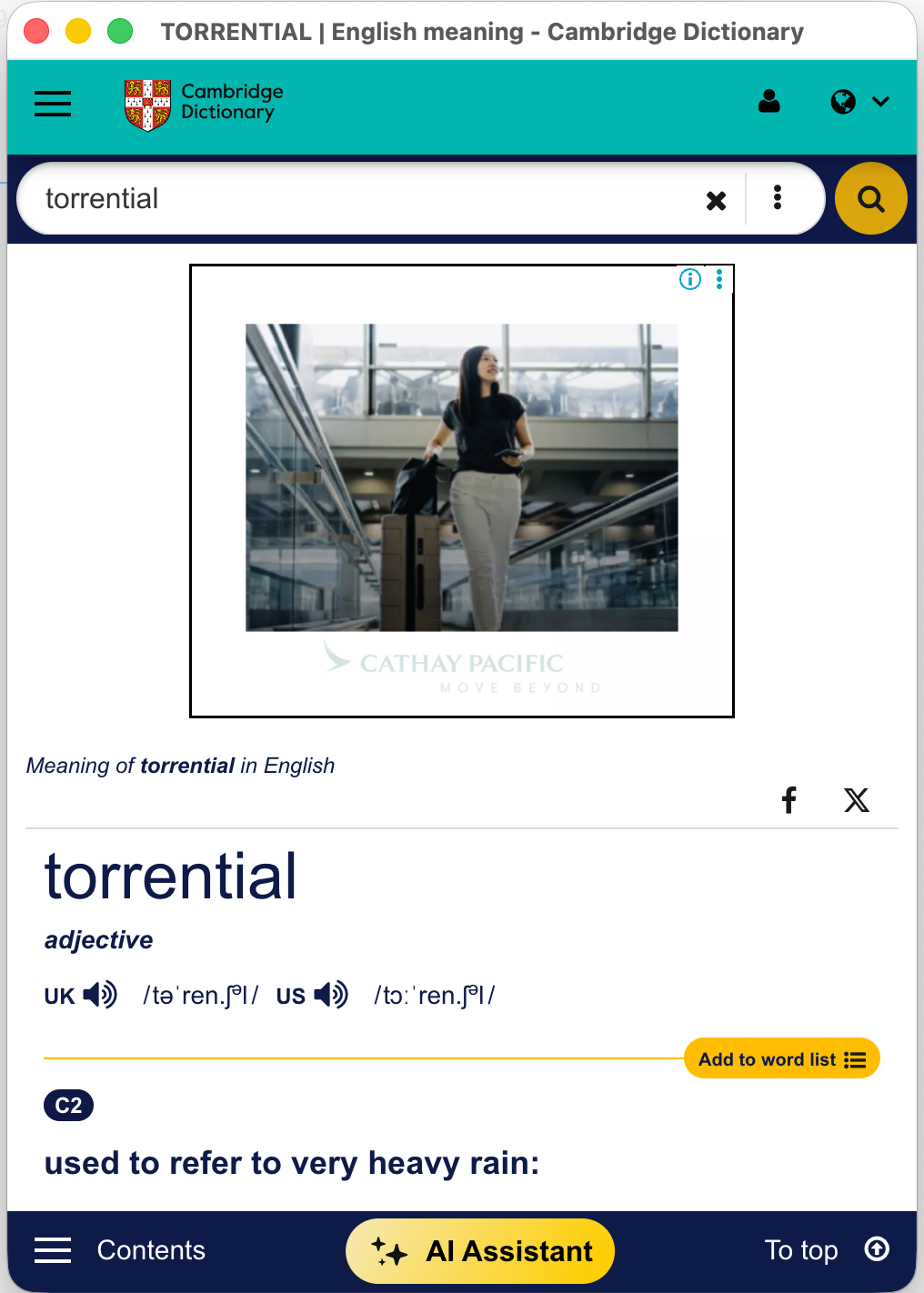
The upside: Reliable, authoritative definitions — phonetic transcription, part of speech, CEFR level, the works.
The problems:
Ads everywhere. Look at that screenshot. The first thing you see isn't the definition — it's an ad taking up half the screen. You came to learn a word; you got a travel ad.
Single words only. Try looking up torrential rain as a phrase — most dictionaries return "no results" and fall back to just torrential. But English is full of phrases that only make sense together: take for granted, break even. Traditional dictionaries force you to break these apart and guess.
No context awareness. The dictionary has no idea what sentence you're reading. For a word like light (not heavy? illumination? to ignite?), you're scanning 10+ entries to find the right one.
Information overload. A word like "run" has 40+ definitions. That's overwhelming, and overwhelming means your brain just moves on.
Contextual lookup tools: a different philosophy
Contextual lookup extensions take a fundamentally different approach. Instead of pulling a definition from a dictionary database, they analyze the sentence the word appears in and explain what the word means in that specific context.
Here's the key difference: you can select the entire phrase torrential rain — not just the single word — and get an explanation that treats it as a unit. Here's what that looks like:
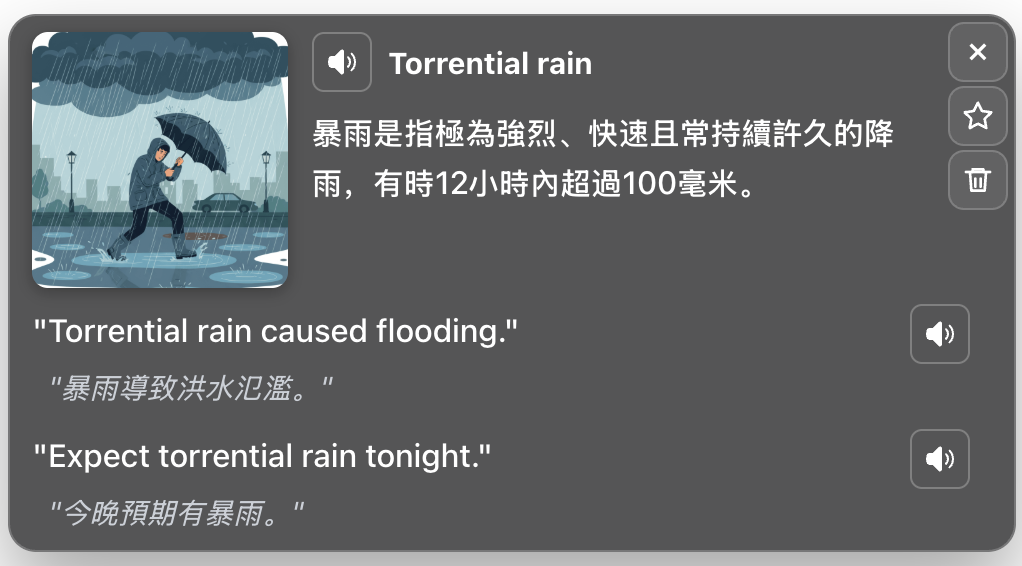
Notice the differences. No ads. No scrolling. The explanation is specific to the phrase torrential rain, not just the isolated word torrential. There's a visual aid that gives your brain an image to anchor the meaning. Example sentences with native-language translations. Pronunciation. Everything in one compact popup, right where you're reading.
Every problem we listed above is addressed: ads → none. Single words only → handles phrases. No context → reads the surrounding sentence. Information overload → one focused explanation.
Why context matters so much for learning
When you encounter a new word, your brain creates a memory trace. Psychologists call it depth of processing (Craik & Lockhart, 1972): shallow processing (scanning a definition) creates a weak trace; deep processing (understanding the word in its sentence) creates a strong one. A traditional dictionary forces shallow processing. A contextual tool does the deep processing for you.
Head-to-head: where each approach wins
Traditional dictionary wins when:
- You need all possible meanings of a word (exams, writing papers)
- You want etymology or offline access
Contextual lookup wins when:
- You're reading or watching videos and don't want to break your flow
- You want to look up a phrase, not just a single word
- The word has many definitions and you need the right one now
- You want to actually remember the word, not just understand it in the moment
For most English learners, contextual lookup is the better day-to-day tool. A traditional dictionary is still useful when you need depth — but it's not what you want popping up 15 times while you're reading an article.
Features that actually matter (beyond definitions)
Save & review. Looking up a word is step one. Remembering it is step two. Does the extension have spaced repetition built in? If you're manually copying words to Anki, you'll do it for a week and stop.
Works on video subtitles. Many dictionary extensions don't work on YouTube or Disney+ subtitle overlays. If you watch videos, check this first.
Visual aids. Some tools (like VividRead) include images alongside definitions to help with retention. This is backed by research on dual coding theory — your brain remembers images and text better together than text alone.
My honest take
I used traditional dictionary extensions for years because they felt "more serious." But I wasn't retaining much. When I switched to a contextual tool, the friction dropped so low I started looking up way more words — not because I forced myself, but because there was no reason not to.
The word torrential, for example — I'd looked it up in Cambridge Dictionary multiple times and all I remembered was "adjective, relating to rain." It finally clicked when a contextual tool showed me a simple explanation alongside an image of a flooded street. Definition + image + context = it stuck. The best tool isn't the most comprehensive one. It's the one you'll actually use.